


If you have a Shopify shop and feel that ‘everything is fine’ (products, design, prices…), but your organic traffic isn’t performing as expected, we can help you with a few SEO basics. It is often thought that if a shop does not take off, it is due to a limited catalogue or a lack of content, but the cause is usually small (big) details that make a difference when it comes to attracting users from search engines.
In our daily work, we see that SEO on Shopify often improves when a few adjustments are made. The results are twofold: they help Google better understand what you sell and which pages are important, and they give users more reasons to click when they find you.
A common mistake: Collections that aren’t set up to rank
In Shopify, collections are your ‘shopfront’ for Google: if they are well designed, they bring you traffic with purchase intent; if they are not, the usual happens: you only rank by brand or by a few individual products, but you don’t achieve stable visibility by category.
It’s common to see collections such as ‘New Arrivals’, ‘Featured’, ‘Seasonal’ or ‘Top Sellers’ because they sound good and help organise the shop… but that doesn’t match how a customer searches on Google. A customer doesn’t usually search for “featured”; they search for ‘barefoot boots’, ‘minimalist sandals’ or ‘personalised gifts for businesses’.
Both approaches can coexist in our shop (one more focused on navigation and ‘showcasing’, and the other more focused on connecting with user queries in search engines), but they must be well thought out technically.
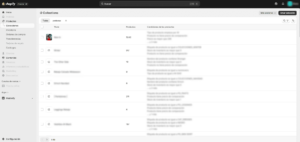
Here, the problem is usually obvious at a glance: collections created for “internal order” or one-off campaigns mixed with categories that could actually rank well. In addition, it is common to find collections with a lot of products (a “dumping ground”) and others with very few or even empty ones, making it difficult for Google to understand which page is important for a specific search.
How to fix it: evaluate your permanent and seasonal catalogue and define pillar collections that meet two conditions: they are in real demand and they are categories that you are interested in selling.
An example of a theoretical solution: organise the shop using simple logic: main collection → sub-collections by search intent. For example, in footwear, from ‘Women’s barefoot shoes’ it makes sense to go down to ‘for walking’, ‘for training’, ‘for wide feet’, ‘with thin soles’ or ‘for winter’ (as long as you have enough products to support it). This not only helps Google: it also helps the user find what they are looking for in fewer clicks.
And an important detail: the name matters. Calling a category ‘Corporate’ is not the same as ‘Personalised gifts for companies’. The latter speaks the customer’s language and also fits what they are looking for.
It goes without saying that the ideal approach is to evaluate each shop and each brand separately, understanding how their catalogue and logistics are organised, and the web architecture must be 100% customised.
The goal is to match the way your customers search
In line with what we have seen in the collections, there is one idea that underpins everything: the structure only works if it is based on how people search. In Shopify, it is very easy to set up the shop ‘from within’ (sorting, grouping, tagging), but SEO begins when those decisions are based on which terms are in demand, how intent changes depending on the type of product, and which categories deserve to be ‘pillars’.
That’s why it’s important to do keyword research beforehand. Setting up categories and content without first checking how customers search is risky, because you may end up with ‘pretty’ pages, but with little real demand.
However, if the shop is already set up, don’t worry: it’s never too late. We can start with the searches with the highest volume and potential, identify which categories and intentions are truly repeated in your sector, and from there, build or readjust the ‘pillar’ pages to compete for those keywords. First, research and prioritisation (what to target and why), and then structure and optimisation within Shopify.
Metadata must be aligned with your strategy
This happens a lot: the shop may be fine, but on Google the result looks generic, repetitive or completely empty.
Think about this: someone searches for ‘women’s barefoot boots’. If your result appears as ‘Product | Shop name’ or ‘Collection | Shop’, it’s not responding to what that person wants. Instead, a title like ‘Women’s barefoot boots – flexible sole and 24/48-hour delivery | Brand’ gives instant context. And a meta description that adds confidence (easy exchanges, guarantee, fast shipping, manufacturing, etc.) can be the difference between ‘I’ll take a look’ or ‘I’ll move on to the next one.’
Furthermore, in Shopify, it’s common for many pages to end up with similar titles if you don’t work on them, making it difficult to differentiate each page and reducing the potential for clicks.
To optimise it, the important thing is to stop treating the snippet as a ‘filler’ field and start writing it with intention. In collections, it is advisable for the title to clearly state the category you want to rank for. In products, it helps a lot to include a useful attribute (waterproof, lightweight, for wide feet, etc.) and end with a trust signal if applicable (shipping, exchanges, warranty). And in the meta description, the key is to answer ‘why buy it here?’ in one sentence: there’s no need to invent anything, just state what you really offer.
When a shop already has many collections and products, doing this one by one can be slow. In these cases, we usually work on these titles and meta descriptions in bulk with tools such as Matrixify, which allow you to edit the SEO of many URLs at once (for example, applying a consistent structure by product type or by pillar collections and then adjusting the most important aspects manually). We won’t go into more detail here, but it’s a more technical and efficient option that we’ll explain another time.
Your homepage needs proper SEO setup
This mistake is very common because in Shopify, the home page is not edited in the same way as a product or collection. Many people optimise product listings and categories… and leave the home page with a generic title.
What happens then? Google (and the user) don’t understand what you sell.
The home page is usually one of the pages that accumulates the most ‘strength’ over time: it receives links, mentions, direct visits… and becomes the gateway for many users. If the title of the home page does not convey your value proposition, you are missing out on an opportunity. Furthermore, in brand searches or more general searches, a well-written snippet on the home page can make the difference between you being chosen or a competitor.
To optimise it, it is best to leave the title of the home page as a sentence that answers in two seconds ‘what you sell + for whom + what advantage you have’, without trying to cram in 20 keywords. And the meta description should act as a mini presentation. It’s a quick fix and, done well, it improves how your shop ‘presents itself’ on Google.
Be careful when changing URLs (handles) without redirecting them.
This usually happens for a very logical reason: over time, names are improved, the catalogue is restructured or categories are adjusted, and someone changes the ‘handle’ (the end of the URL) to make it look nicer. The problem is that, for Google, a new URL is not ‘the same page’: it is a different one. If the old URL had history (clicks, links, bookmarks, blog articles pointing there), changing it without redirection loses all that value and creates 404 errors.
The typical consequence is twofold: on the one hand, traffic that was already coming in is lost; on the other, Google has to ‘relearn’ the new page, which usually results in temporary drops or the new URL taking longer to recover its position. And the worst thing is that the business notices this but does not relate it to the URL, because the change was made ‘for the better’.
To fix this, the rule is simple: every time you change the URL of a product, collection, or page, create a 301 redirect from the old one to the new one. It doesn’t have to be complicated, but it does have to be consistent, especially for pillar collections and products that are already ranking or receiving visits. If you are restructuring, do so with a list of redirects so that you don’t leave any loose ends.
Know which searches your product ranks for
Many shops focus solely on “sessions” or “sales”, but overlook the most important thing: which searches lead to your website, which pages are displayed, with what CTR, and where you are “one step away” from achieving better positions.
Search Console allows you to quickly spot opportunities. Pages with lots of impressions but few clicks, terms close to the top of the rankings, or indexing signals that need to be corrected before they become a bigger problem.
To harness the power of this tool, it’s a good idea to verify ownership and periodically review two or three simple things to take advantage of all opportunities. At Relevant, we take care of setting up, reviewing, and monitoring Search Console (and organic performance) for your Shopify, translating data into concrete actions.
Images: make sure the product looks good but loads quickly
In ecommerce, images are not an ‘extra’: they are part of the product. They are what makes someone stay, compare, trust, and end up buying. On Shopify, where most visits come from mobile devices, a shop can have a good catalogue and good design… but if the images are poorly crafted, the experience suffers and so does performance.
What usually goes wrong? Mainly three things:
File size and format: when images are uploaded ‘raw’ (too large or heavy), the user enters a collection with dozens of products, scrolls and notices lag or endless loading times. That extra 1-2 seconds, especially on mobile, translates into more bounce and fewer conversions.
ALT text: this describes the image and helps Google understand what you are showing (as well as being important for accessibility).
Title/file name: if you upload everything as IMG_328.jpg, you are missing an opportunity to reinforce the SEO relevance of the page; on the other hand, a descriptive name provides context and consistency.
To optimise it, you should use images of a reasonable size, upload them in efficient formats whenever possible and, above all, write meaningful ALT and file names. These are small adjustments that, when added up, improve speed, experience and SEO signals. And remember that if you want us to thoroughly review your shop’s images and apply the necessary optimisations, we can help you.
Insufficient internal linking, neither Google nor users find what is important
The pages of the shop must be connected in a logical and coherent way so that the user can navigate easily, but care must be taken in this regard, as depending on how you link your pages within your website, Google will receive different signals. For example, pages that appear directly linked from the home page will be given greater importance in Google’s eyes and, consequently, pages further away will be given less importance.
At Relevant, we believe that good internal linking is not just about ‘putting links in place’, but rather designing a strategy: studying the structure of the shop, defining the main categories, estimating the traffic potential of each one and, from there, building intentional interlinking that helps Google understand which pages deserve more attention.
The mistake that prevents you from taking advantage of Google Shopping
Structured data (schema) helps Google better understand your content and, in many cases, display more attractive results (e.g., price, availability, ratings, FAQs). Shopify usually includes basic schema, especially for products, but that doesn’t guarantee that it’s perfect, complete, or aligned with what you really want to show.
The typical sign is simple: you see your ‘average’ result on Google, while other competitors appear with more information, stars, prices, or blocks that take up more space. It’s not magic: it comes partly from structuring the information well and validating it.
To optimise it, the basics are to check what structured data your theme is generating and make sure it is valid. From there, reinforce what is important: that products show the price, availability and, if there are reviews, ratings; and on pages where it makes sense, add extra markup (e.g. FAQs). At Relevant, we do this frequently in e-commerce and always validate it with Google tools, because a poorly implemented schema not only fails to contribute but can also generate errors.
A ‘push’ that makes the difference in competitive categories
Once you have your shop fairly well optimised (structure, pages, snippets), the next hurdle is usually authority. On Google, in competitive categories, it is not enough to be optimised: how much others ‘trust’ your shop also counts. And that trust is built with backlinks and mentions from other relevant websites.
Think of two shops that sell the same thing and are equally well set up. If one is linked or mentioned in the media, industry blogs or partners, it will usually have a better chance of gaining positions. What’s more, these mentions don’t just help Google these days. They also help AI (AI search engines, assistants and models that summarise results) to “identify” brands and sources that are repeated on reliable sites. The more quality mentions your shop has, the more likely it is to be a reference when someone asks ‘best shops for…’ or ‘where to buy…’.
At Relevant, we have tools to monitor which links point to your shop, how your authority is evolving, and what impact this is having on visibility. This allows us to analyse your link profile (quantity, quality, and relevance) and detect real opportunities in your sector.
Now, here are the next steps to improve your online shop.
There are more ‘technical’ areas that we also review often when working on SEO for e-commerce, because they can be slowing down growth without it being obvious at first glance. For example, the sitemap: Shopify generates it automatically, but it’s a good idea to check that what it’s sending to Google makes sense and, above all, that it’s not including URLs that you don’t want to index or pages that shouldn’t appear on Google.
And on the other hand, canonical tags: in Shopify, it is common for the same product to exist with different paths (for example, within a collection and as a ‘main’ listing), and if the signals are not well consolidated, authority is distributed and rankings become less stable.
We won’t go into the ‘how’ here, but it’s worth mentioning: when working on SEO for Shopify, these reviews are part of a comprehensive technical audit that helps make your rankings more stable/consistent over time.
If you want us to review your shop and tell you where to start to see real impact, at Relevant we can help you with a clear plan, monitoring and continuous optimisations so that your Shopify shop can grow through organic search.